
Teachers & admins
Approve admissions, run batches and classes, publish materials and assignments, mark exams, publish results, track fees and expenses, and export reports.
Effy Edu · Coaching & school management software
Effy Edu connects your public website, admissions, batches, classes, assignments, exams, results, fees and reports in one role-based platform — with a teacher and admin console and a separate student centre.
Sample data — log in as a teacher or a student.
Who uses it
Approve admissions, run batches and classes, publish materials and assignments, mark exams, publish results, track fees and expenses, and export reports.
See their active batches, routine, assignments and feedback, materials, upcoming exams, published results, progress and payment history.
Browse courses, results, reviews, gallery and admission information on a public website managed from the same console.
What's inside
Real screens
Captured from the live demo with sample data.
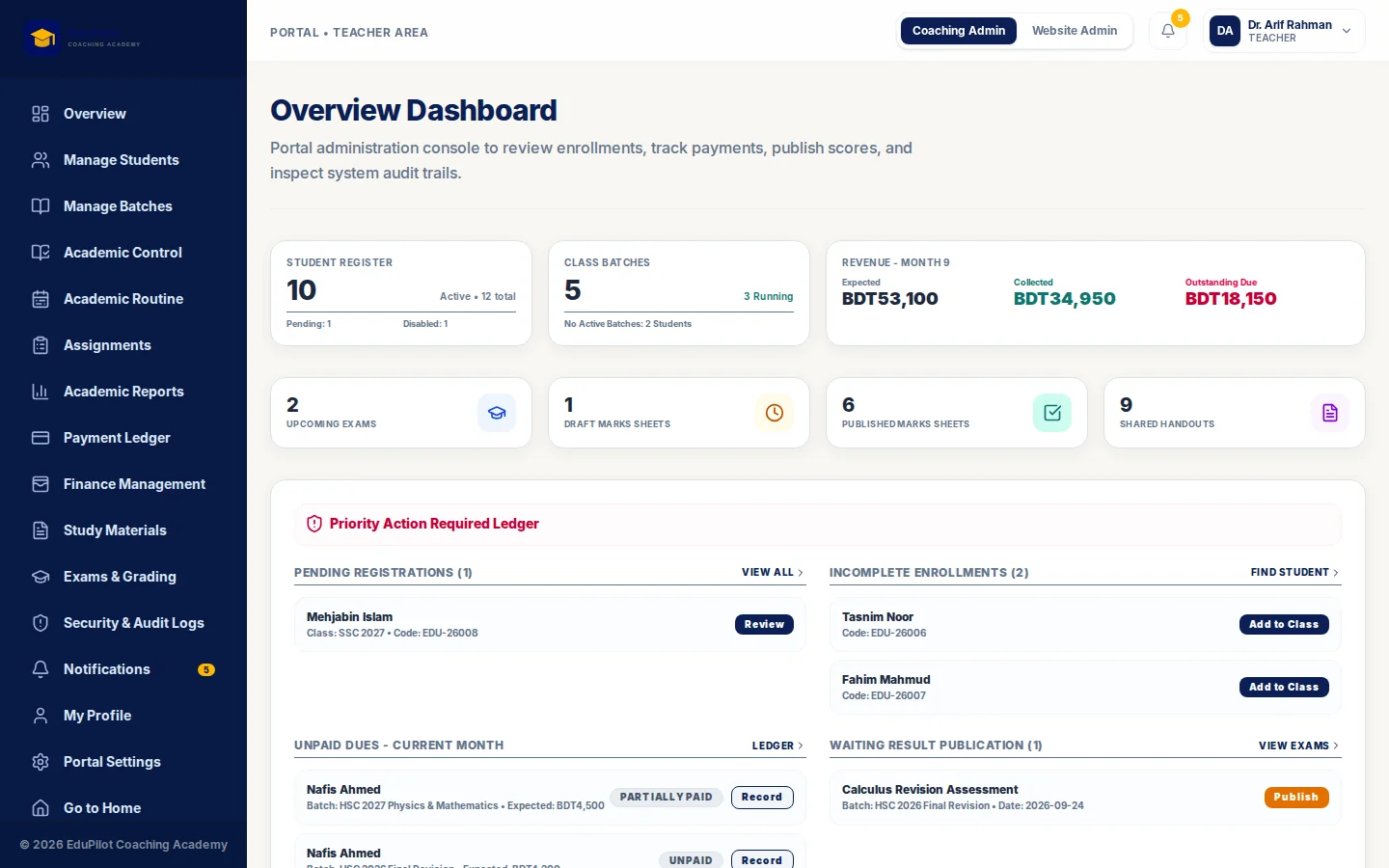
Admin overview. Pending registrations, unpaid dues, results waiting to publish
Under the hood
Batches, classes, materials, exams, results and fees all hang off the same structure, so a student's view is always consistent with what staff published.
Staff and students land in different workspaces and can only reach the screens and records their role allows.
Result sheets and student progress reports are generated as PDFs, and finance and report tables export to CSV.
Proven in production
First built for Shifat's Tales, which now runs admissions, classes, exams, fees and its public website from Effy Edu.
Questions
No. It fits coaching centres, admission-care institutes and schools that run batches or classes, exams and monthly fees. Each deployment is configured around the institution's own structure.
Yes. The live demo uses sample data and lets you log in as a teacher or as a student.
Yes. The public website is part of the product and is edited from the same console, so course, result and admission information stays current.
Yes. Name, logo, colours, domain, fee structure and academic setup are configured for each institution.
Next step
We walk you through the product, map it to how you work, and tell you what we would configure, change or add.